Integrating AI Reply Agents with Instantly for Automated Follow-Ups
Instantly is one of the most popular cold email platforms for a reason. It rotates inboxes, warms up domains, and pushes thousands of sending volume per day without tanking your deliverability. But here is the catch that every Instantly power user eventually hits: the more emails you send, the more replies you get, and replies are where deals are actually won or lost.
A campaign that books meetings on Monday goes quiet by Thursday, not because the messaging stopped working, but because the replies piled up faster than anyone could answer them. Instantly fills the top of your funnel beautifully. It does not close the loop on the conversations that follow.
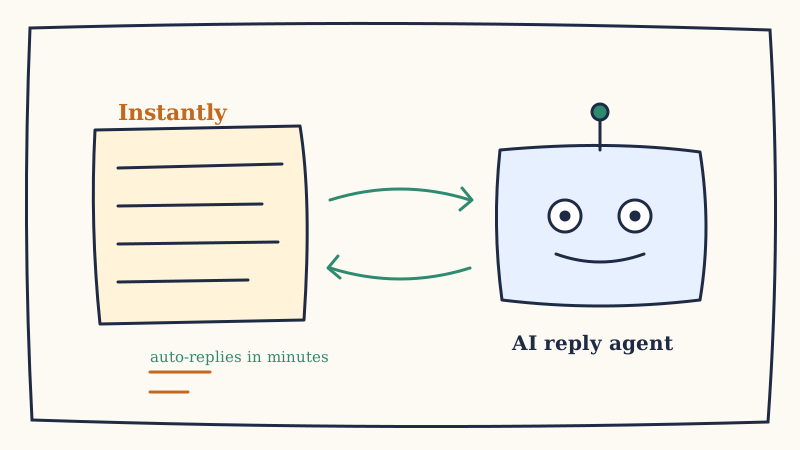
That is the gap an AI reply agent fills. In this guide we will walk through how to connect a Unified Inbox with AI inbox agents like Underfive to your Instantly campaigns so that every reply, whether it is a buying signal, an objection, or a simple question, gets a fast, on-brand response without a human touching the inbox.
Why Instantly Alone Leaves Replies on the Table
Instantly’s core strength is volume sending. It is built to get emails delivered and opened. What it is not built to do is reason about an incoming reply and decide what to say back.
When a prospect responds, Instantly does one of two things: it pauses the sequence and drops the reply into a unified inbox, or it fires a generic auto-follow-up that ignores what the prospect actually said. Neither of those is a real conversation.
Here is what that costs you in practice.
Speed decay. A reply that sits for six hours has already lost most of its value. Studies on response timing consistently show that the odds of qualifying a lead drop sharply after the first hour. If your team checks the Instantly inbox twice a day, you are losing momentum on nearly every warm reply.
Inconsistent handling. One rep anchors to ROI on a pricing question. Another sends a calendar link with no context. A third never gets to the message at all because the queue is 60 deep. The prospect experience is a coin flip.
No after-hours coverage. Cold campaigns often run across time zones. A reply that lands at 11pm your time is fresh for the prospect, but it will not be touched until the next morning, if at all.
An AI reply agent solves all three by reading each reply, classifying intent, and responding in minutes around the clock. The job is no longer “send more email.” It becomes “make sure every reply gets the right answer fast.”
How the Integration Works at a High Level
Before getting into setup, it helps to understand the flow. The integration sits between Instantly’s reply detection and your inbox, and it works in four steps.
- Instantly detects a reply. When a prospect responds to a campaign email, Instantly registers it and pauses the automated sequence for that lead.
- The reply is routed to the AI agent. This handoff happens through a webhook, a shared inbox connection, or a native integration, depending on your stack.
- The agent classifies and drafts a response. It identifies whether the reply is a meeting request, an objection, a question, or a non-buying signal, then generates a calibrated reply that matches your brand voice.
- The response is sent or escalated. High-confidence replies go out automatically. Anything ambiguous or high-value gets flagged for a human.
The key design principle is that Instantly keeps doing what it is good at (sending and deliverability) while the AI agent takes over the part Instantly was never meant to handle (the conversation).
Step-by-Step: Connecting Your AI Reply Agent to Instantly
There are two reliable ways to wire this up. Pick the one that matches how technical your team wants to get.
Option A: Webhook-based connection
This is the most flexible approach and gives the AI agent the cleanest signal.
Step 1. Enable reply webhooks in Instantly. In your Instantly workspace, open the campaign settings and find the integrations or webhooks panel. Add a new webhook that fires on the “reply received” event. Instantly will send a payload containing the prospect’s message, the thread history, and the campaign metadata.
Step 2. Point the webhook at your AI agent’s intake endpoint. Your AI reply agent provides a URL that accepts inbound reply data. Paste that endpoint into the Instantly webhook configuration. Most agents accept the standard JSON payload Instantly sends, so no custom transformation is needed.
Step 3. Map the fields. Confirm that the prospect email, message body, and thread ID line up between Instantly’s payload and what the agent expects. This mapping is what lets the agent reply on the correct thread instead of starting a new one.
Step 4. Authorize the sending inbox. The agent needs permission to send from the same inbox (or rotation of inboxes) that Instantly used. Connect those mailboxes to the agent so replies come from the address the prospect already recognizes.
Option B: Shared inbox connection
If you would rather not touch webhooks, you can connect the AI agent directly to the mailboxes Instantly sends from.
Step 1. Connect each sending mailbox to the agent. Grant the AI reply agent access to the inboxes in your Instantly rotation.
Step 2. Set a filter for campaign replies. Tell the agent which messages to act on, usually by matching against the campaigns Instantly is running, so it ignores unrelated mail.
Step 3. Turn off Instantly’s generic auto-replies. You do not want both systems responding. Disable any canned follow-ups in Instantly for the campaigns the agent now manages.
Whichever route you choose, the result is the same: a reply hits your Instantly inbox and the AI agent picks it up automatically.
Configuring Reply Logic, Escalation Rules, and Brand Voice
Connecting the pipes is the easy part. The value comes from how you train the agent to behave.
Define your intent categories. At a minimum, configure the agent to recognize meeting requests, pricing objections, “send me more info” replies, out-of-office bounces, and clear “not interested” responses. Each category should map to a distinct response strategy rather than one generic template.
Set escalation thresholds. Decide which situations should hand off to a human. Common triggers include enterprise prospects above a certain deal size, legal or security questions, and any reply the agent classifies with low confidence. Everything else can be handled autonomously.
Calibrate brand voice. Feed the agent examples of how your best rep writes. The goal is replies that sound like a sharp human teammate, not a bot. If a prospect ever has to wonder whether they are talking to software, the calibration needs work.
Protect deliverability. This is where the integration can quietly go wrong. If your sending domains are firing replies to invalid or risky addresses, your reputation suffers and your whole Instantly setup degrades. Running your reply targets through a verification layer like Scrubby keeps bounces low and protects the inbox health that Instantly worked hard to build. Clean lists in, clean replies out.
Testing, Monitoring, and Measuring ROI
Do not flip the switch on a live campaign and walk away. Roll it out in stages.
Start in draft mode. Most AI reply agents can generate responses without sending them. Run a campaign this way for a few days and review every draft. You are checking that intent classification is accurate and that the tone matches your brand.
Graduate to auto-send on safe categories. Once you trust the drafts, let the agent auto-send the low-risk categories first, such as scheduling links for meeting requests and out-of-office handling. Keep objections and high-value replies in review a little longer.
Monitor the metrics that matter. Track median reply time (it should drop from hours to minutes), reply-to-meeting conversion rate, and the percentage of replies handled without human touch. These three numbers tell you whether the integration is paying off.
When you measure it, the math is usually stark. A team manually working an Instantly inbox might respond to 40% of replies within a day. The same team with an AI reply agent responds to nearly 100% within minutes. That speed difference is where the additional meetings come from.
For agencies and teams running outbound at scale, this is also where a managed approach helps. Platforms like Vendisys combine high-volume sending with reply handling so the whole motion (send, deliver, respond, book) runs as one system instead of a stack of disconnected tools.
Bringing It Together
Instantly gets your message in front of thousands of prospects. An AI reply agent makes sure that when those prospects respond, someone (or something) is ready to keep the conversation moving in minutes rather than days.
The integration is straightforward: route Instantly replies to the agent through a webhook or shared inbox, train the agent on your intent categories and brand voice, protect your deliverability with clean lists, and roll it out in stages. Once it is running, you stop losing warm replies to a backed-up inbox and start converting more of the pipeline Instantly is already filling.
If you are sending cold email through Instantly and your reply handling is the bottleneck, see how Underfive plugs into your existing campaigns and turns every reply into a fast, on-brand follow-up.