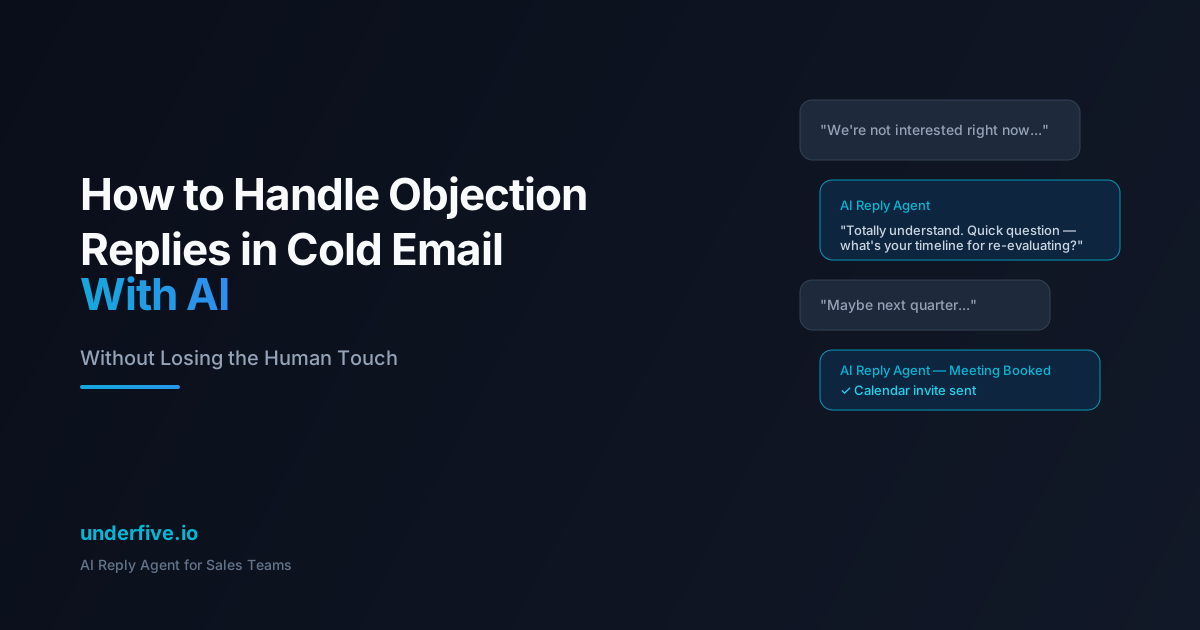
How to Handle Objection Replies in Cold Email With AI (Without Losing the Human Touch)
You’ve done the hard part. Your cold email got opened. The prospect replied. But instead of “Sure, let’s chat,” you got:
“Not interested.” “We’re already using [competitor].” “Now isn’t a good time.” “Send me some info.”
Most sales teams treat objection replies as dead ends. Most AI reply tools make it worse — sending canned, obviously-automated responses that kill whatever goodwill the original email built.
But here’s the thing: an objection is engagement. A prospect who replies “not interested” is more valuable than one who never opens your email. The question is whether you can handle that objection in a way that keeps the conversation alive.
Here’s how to use AI to handle objection-based replies without sounding like a robot.
Why Most AI Objection Handling Fails
The typical AI reply tool does one of two things with objections:
1. The “pushy robot” approach — It fires back with a hard rebuttal that ignores the prospect’s concern and tries to force a meeting. This feels aggressive and inauthentic.
Prospect: “We’re happy with our current solution.” Bad AI: “I understand, but our product is 3x better and 50% cheaper. Can we schedule a 15-minute call to show you?”
2. The “too polite” approach — It agrees with the objection and backs off entirely, providing zero value and ending the conversation.
Prospect: “Not the right time.” Bad AI: “Totally understand! Feel free to reach out whenever you’re ready. Have a great day!”
Neither approach works because neither addresses the underlying concern or advances the conversation naturally.
The 5 Most Common Cold Email Objections (and How AI Should Handle Each)
1. “Not Interested”
What it really means: “You haven’t given me a reason to be interested” or “I don’t understand the value yet.”
How AI should respond:
Acknowledge, then ask a diagnostic question that gets to the root of their disinterest. Don’t pitch — probe.
“Fair enough — I probably didn’t do a great job explaining why this might matter to you. Quick question: is [specific pain point relevant to their role] something your team deals with, or is that handled differently at [company name]?”
Why this works: It takes responsibility (“I didn’t explain well”), shows you’ve researched their situation, and asks a question they can answer without committing to anything.
2. “We Already Use [Competitor]”
What it really means: “Convince me to switch” or “I don’t see the difference.”
How AI should respond:
Validate their choice, then introduce a specific capability gap — something their current tool doesn’t do well that you know matters to their use case.
“[Competitor] is solid — a lot of teams in [their industry] use them. One thing we hear from teams that switch is that [specific limitation of competitor] becomes a bottleneck when [specific scaling scenario]. Is that something you’ve run into, or has it been smooth sailing?”
Why this works: You’re not attacking their choice. You’re planting a seed about a limitation they may already be feeling. If they have experienced the problem, you’ve opened a real conversation.
3. “Not the Right Time”
What it really means: “I’m busy right now” or “This isn’t a priority this quarter.”
How AI should respond:
Respect the timing, but create a concrete future touchpoint. Don’t just say “I’ll follow up later” — anchor it.
“Completely get it — timing is everything. When does your team typically re-evaluate [category]? Happy to circle back then with some context specific to what you’re working on.”
Why this works: It asks for a specific timeline, which either gives you a real follow-up date or reveals that “timing” was a soft brush-off (if they don’t respond).
4. “Send Me Some Info”
What it really means: This is the trickiest one. It could mean genuine interest or a polite dismissal.
How AI should respond:
Send something specific (not a generic brochure), and include a soft CTA that tests their interest.
“Sure — here’s a quick case study from [similar company in their industry] that cut [metric] by [number] using our approach: [link]. The most relevant part for your team is probably [specific section]. Worth a 10-minute walk-through, or does the doc cover what you need?”
Why this works: You’re providing value (a relevant case study), demonstrating you understand their context, and giving them a low-pressure way to engage further — or not.
5. “Too Expensive” / “No Budget”
What it really means: “I don’t see enough value to justify the cost” or “I genuinely don’t have budget authority.”
How AI should respond:
Reframe around ROI rather than defending the price. If possible, reference what similar companies save or gain.
“Totally fair — budget conversations are real. For context, teams like [similar company] typically see [specific ROI metric] within [timeframe], which offsets the cost by [multiplier]. If the economics made sense, would it be worth a quick look at the numbers together?”
Why this works: It acknowledges the concern, provides social proof with concrete numbers, and makes the next step about evaluating ROI — not committing to a purchase.
Configuring AI for Natural Objection Handling
Getting AI to handle objections well requires more than good prompts. Here’s what separates natural-sounding AI replies from robotic ones:
Use Prospect Context, Not Templates
Every AI response should reference something specific about the prospect — their company, industry, role, or recent activity. A response that mentions “[Company Name]‘s growth in [their market]” feels researched. A response that could apply to any prospect feels automated.
Match the Prospect’s Tone and Length
If the prospect sent a two-word reply (“Not interested.”), responding with four paragraphs is tone-deaf. AI should mirror the brevity:
- Short objection → short response (2-3 sentences max)
- Detailed objection → detailed response (address each point)
- Casual tone → casual response
- Formal tone → formal response
Include One Question, Not Three
The goal of an objection response is to keep the conversation going with one question. Multiple questions feel like an interrogation. One well-placed question feels like genuine curiosity.
Know When to Stop
Not every objection can be overcome, and not every objection should be. If a prospect says “Please remove me from your list,” the only acceptable response is compliance. AI should recognize hard stops:
- Explicit unsubscribe requests
- Legal/compliance language (“cease and desist,” “do not contact”)
- Repeated “not interested” after a follow-up attempt
- Hostile or aggressive responses
Pushing past these signals damages your brand and can create legal exposure.
Measuring AI Objection Handling Performance
Track these metrics to understand how well your AI handles objections:
Objection-to-conversation rate: What percentage of objection replies turn into multi-turn conversations? Benchmark: 15-25% for well-tuned AI.
Objection-to-meeting rate: What percentage of initial objections eventually result in booked meetings? Benchmark: 5-10%.
Response time: How quickly does AI reply to objections? Under 5 minutes is the target — prospects are most engaged immediately after they reply.
Tone accuracy score: Have your team periodically review AI responses. Score on a 1-5 scale for naturalness, relevance, and appropriateness. Target: 4+.
Escalation rate: What percentage of objections does AI correctly escalate to a human rep (for complex or sensitive situations)? This should be non-zero — AI shouldn’t try to handle everything.
How Underfive Handles Objections Differently
Underfive’s Unified Inbox is built specifically for this use case — handling the messy, nuanced replies that come after cold outreach:
- Context-aware responses — pulls in company data, industry context, and conversation history to generate replies that feel researched, not templated
- Tone matching — automatically adjusts response length and formality to match the prospect’s communication style
- Under-5-minute responses — replies while the prospect is still engaged, catching the conversion window that most teams miss
- Smart escalation — recognizes when an objection needs human judgment and routes it to your team with full context
- Objection classification — categorizes every objection type so you can see patterns and adjust your initial outreach to pre-handle common concerns
The result: objections become conversations, and conversations become meetings — without your team manually crafting responses to every “not interested” reply.
Want to see how AI handles your most common objections? Try Underfive — set up your Unified Inbox in under 5 minutes and start converting objection replies into booked meetings.