How AI Reply Agents Auto-Log Every Cold Email Reply to Your CRM (HubSpot & Salesforce)
Every revenue team has the same dirty secret: the CRM lies. A prospect replies “send me pricing next quarter,” a rep handles it in their inbox, and the deal record never gets touched. Three months later the follow-up never fires, because as far as Salesforce knows, that conversation never happened.
The gap between what happens in the inbox and what gets recorded in the CRM is where pipeline goes to die. And it is almost entirely a logging problem, not a selling problem.
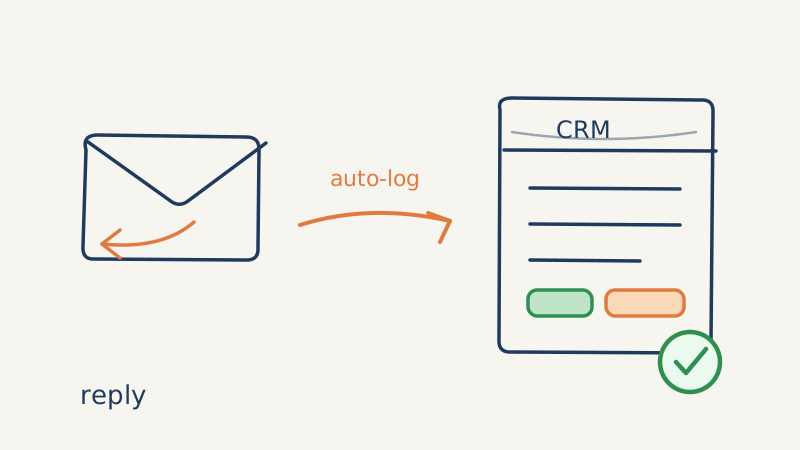
This is one of the most underrated jobs the inbox agents in a Unified Inbox like Underfive do. Beyond drafting and sending responses, a good reply agent treats your CRM as the system of record and writes back to it on every single interaction. Here is exactly how that works, and how to set it up.
Why manual CRM logging always fails
Ask any SDR to log replies by hand and you will get one of three outcomes: they log selectively (only the good replies), they log late (end-of-day brain dump with half the details missing), or they do not log at all. None of this is a discipline problem. It is a math problem.
A rep working 300 to 500 prospects across multiple sequences simply cannot capture every reply, classify its intent, update the lifecycle stage, and schedule the next touch without losing an hour a day to data entry. So they triage. The “maybe later” replies, which are often your best long-term pipeline, are exactly the ones that get dropped.
The result is a CRM that systematically undercounts engagement. Forecasts get built on incomplete data. Sequences double-send to people who already replied. And re-engagement campaigns skip the prospects most worth re-engaging.
What “auto-logging” actually means
When an AI reply agent is wired into your CRM, every inbound reply triggers a structured write-back, not just a copy of the email text. A well-built agent logs four things on every reply:
- The raw message and thread. The full conversation gets attached to the contact and the associated deal or opportunity, timestamped, so any rep can see the real history.
- The classified intent. Positive, objection, question, referral, out-of-office, unsubscribe, or not-interested. This is the field that makes the data usable, because you can filter and route on it.
- The lifecycle or stage change. A “let’s book a call” reply should not sit in the same stage as a cold prospect. The agent advances the record automatically.
- The next action. Whether that is a scheduled follow-up, a task assigned to a human, or a booked meeting, the agent records what happens next so nothing falls into a void.
That last point matters more than people expect. Logging a reply without logging the next step just creates a tidy graveyard. The whole point of CRM hygiene is to make the next action obvious.
Setting it up in HubSpot
HubSpot makes this relatively painless because of its activity timeline and workflow engine. The setup pattern looks like this:
- Connect the inbox. The reply agent authenticates against the sending mailbox so it can read and send on the same thread the prospect already knows.
- Map intents to properties. Create a custom contact property (for example
reply_intent) and let the agent write the classified value on each response. This becomes the backbone of every report you build later. - Trigger workflows on intent. A
reply_intent = objectionvalue can notify the owner; areply_intent = positivevalue can move the deal stage and create a follow-up task. The agent sets the property, HubSpot’s workflows do the rest. - Log to the timeline. Every message lands on the contact timeline automatically, so reps open a record and see the entire exchange without digging through a shared inbox.
The key design choice is to let the agent own the data entry and let HubSpot own the automation. The agent is the scribe; HubSpot is the dispatcher.
Setting it up in Salesforce
Salesforce is more rigid, which is actually an advantage for clean logging. The pattern:
- Write to Tasks and EmailMessage records. Each reply becomes a logged activity tied to the Lead or Contact, with the body preserved and the direction marked inbound.
- Use a custom field for intent. A picklist field on the Lead or Opportunity captures the classification, so your reports and dashboards can slice replies by type.
- Drive stage changes through the agent, validate through Flow. Let the agent propose the stage change and let a Salesforce Flow enforce your validation rules, so you never get an invalid stage transition from automated input.
- Attach to the right object. For account-based motions, make sure replies log against the Opportunity, not just the Lead, so the deal team sees engagement in context.
In both platforms, the principle is identical: the agent classifies and writes, the CRM validates and routes.
Why clean inbound data starts with a clean list
Auto-logging only helps if the replies are real. If a chunk of your sends bounce or land on spam traps, you pollute the CRM with hard bounces, invalid contacts, and noise that makes your reply-rate math meaningless.
This is why list hygiene sits upstream of everything. Running your prospect list through a validation tool like Scrubby before you send keeps catch-all and risky addresses out of the campaign, which means the replies that do come back are from real humans worth logging. Clean inputs make the auto-logged outputs trustworthy. Garbage in, garbage logged.
What good logging unlocks downstream
Once every reply is captured and classified, a few things become possible that were not before:
- Honest forecasting. When intent is a structured field, you can see how much real pipeline is sitting in “circle back later” versus “ready to buy,” instead of guessing.
- Smarter re-engagement. You can build a re-engagement segment of every prospect who replied “not now” in the last 90 days, because the data is actually there.
- Faster handoffs. When a reply signals intent to book, the agent can pass a qualified, fully-logged prospect straight to a booking step. Pairing reply handling with a calendar-first outreach tool like Kali means a “yes, let’s talk” reply turns into a held meeting without a human re-typing anything.
- Cleaner attribution. Marketing finally sees which sequences produce real conversations, not just opens.
The bottom line
The inbox is where deals actually advance, but the CRM is where decisions get made. An AI reply agent closes that gap by treating logging as a first-class job, not an afterthought. Every reply captured, classified, and written back means your forecast reflects reality and your follow-ups actually fire.
If your reps are still hand-logging replies at the end of the day, you are not looking at a discipline problem. You are looking at an automation gap. Let the inbox agents in Underfive’s Unified Inbox be the scribe, and let your team spend its time on the conversations that close.